








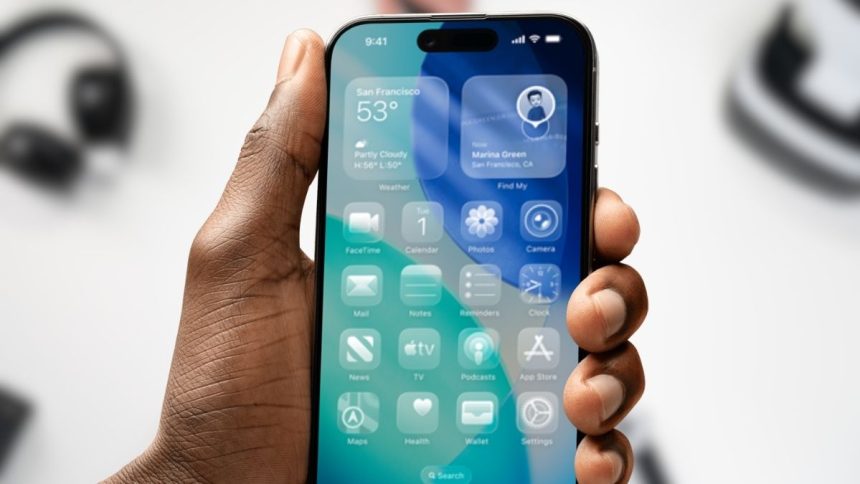
Apple has officially begun rolling out iOS 26.1, the latest update to its iPhone operating system. While the release doesn’t introduce flashy new features, it focuses on something many users have been asking for — control. With iOS 26.1, Apple is giving users new toggles to adjust the Liquid Glass transparency effect and disable the Lock Screen Camera swipe gesture.
Liquid Glass Can Finally Be Turned Off
Introduced earlier this year with iOS 26, the Liquid Glass design added a layer of transparent sheen across menus, banners, and tab bars. Though visually striking, many users complained that it made text harder to read and icons less distinct.
With iOS 26.1, you can now go to Settings › Display & Brightness › Liquid Glass and select the new Tinted option. This adds subtle opacity, improving contrast and visibility while keeping Apple’s modern design feel. The default “Clear” style remains available for those who prefer the fully transparent look.
Goodbye to Accidental Camera Launches
Another long-standing complaint — the swipe-to-open camera gesture on the Lock Screen — can finally be turned off. The move addresses years of accidental camera activations, often happening while pulling a phone from a pocket or bag.
Head to Settings › Camera and toggle off Lock Screen Camera Swipe to disable it. You can still launch the camera using the dedicated on-screen icon or the physical Camera Control button.
Apple Intelligence Expands Globally
Beyond interface tweaks, iOS 26.1 brings a broader rollout for Apple Intelligence, Apple’s generative AI system. The update adds support for Swedish, Turkish, and Vietnamese, while AirPods Live Translation now includes Japanese, Korean, and Italian — a boost for international users and travelers.
Other Small But Notable Changes
- “Apple TV+” is being simplified to Apple TV, along with a refreshed app icon.
- Alarms and timers now require a slide-to-unlock gesture to dismiss, reducing accidental taps.
- The Music app adds a convenient gesture — swipe the MiniPlayer to skip tracks instantly.
Though iOS 26.1 doesn’t reinvent the platform, it’s one of Apple’s most user-friendly updates in years. By letting people tailor controversial visual and gesture elements, Apple shows it’s listening — proving that sometimes, small updates make the biggest difference.