





To check the IMEI number on any Samsung phone, use one of these quick and reliable methods:
Contents
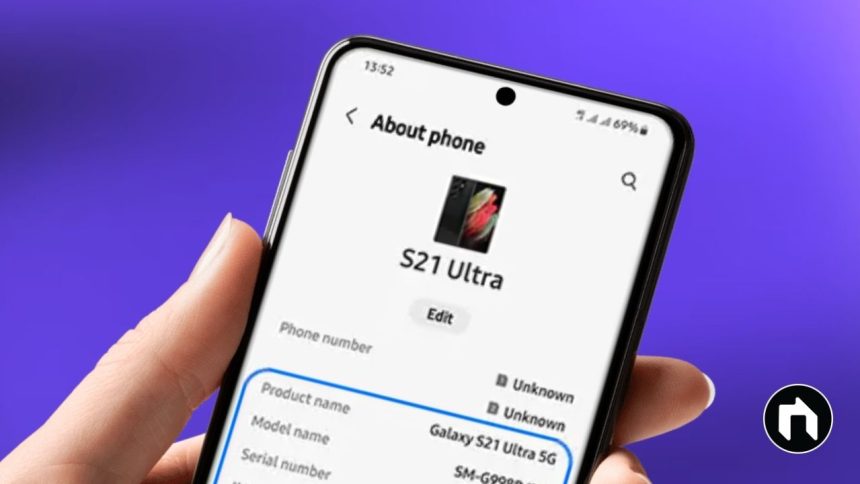
1. Using the Settings Menu
- Open Settings on your Samsung phone.
- Scroll down and tap About Phone (or About Device).
- Your IMEI number will appear at the top of the screen.
- If you see “IMEI Information,” tap it to view details, especially if your device has multiple SIM slots (dual SIM models may show two IMEI numbers).
2. Using the Dialer Code
- Open the phone dialer (keypad).
- Enter *#06# (star, hash, zero, six, hash).
- Your IMEI will instantly pop up on the screen—no need to press call or confirm.
3. On Device Packaging and Label
- The IMEI may also be printed on the box your device came in or on the back of the device (often as a sticker for older models or under the battery in removable battery models).
- If your device is locked or broken, check the physical packaging or your purchase receipt.
4. Using Samsung Members App
- Launch the Samsung Members app.
- Go to Support, then tap your device name at the top to see IMEI (only if device is registered to your Samsung account).
5. Carrier Account or Receipt
- Some mobile carriers list your phone’s IMEI in your online account or on the purchase bill.
Why Check Your IMEI Number?
- The IMEI number helps uniquely identify your device, aids in reporting lost or stolen devices, and is required for warranty purposes or promotions.
- If your device is lost or stolen, reporting the IMEI helps authorities block or track it.
You can use any of the above options depending on device access and situation. These steps work across Samsung Galaxy models, including S-series, A-series, Note, and foldables.