






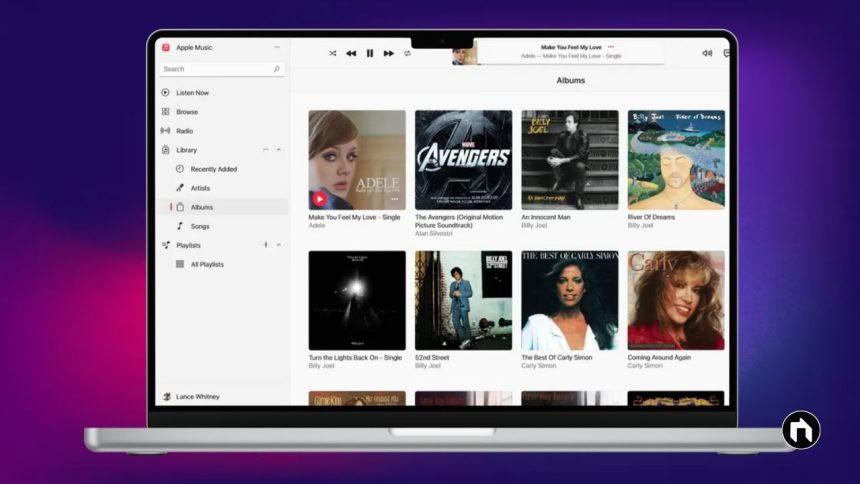
iTunes is a popular media player and media management software developed by Apple. It allows users to organize, play, and purchase digital music, videos, podcasts, and more. iTunes was first launched in 2001 and has played a major role in changing how people enjoy music and media on their computers and Apple devices.
Key Features of iTunes
- Media Player: Play music, videos, audiobooks, and podcasts with a user-friendly interface.
- Media Library: Organize your digital media collection by artist, album, genre, or playlist.
- iTunes Store: Purchase and download music, movies, TV shows, and podcasts.
- Device Management: Sync your media between your computer and Apple devices such as iPhone, iPad, and iPod.
- Playlist Creation: Create custom playlists, smart playlists, and use the Genius feature for music recommendations.
- Sound Controls: Includes equalizer, sound enhancement, and crossfade options for better audio experience.
How to Download and Install iTunes
iTunes is available for both macOS and Windows operating systems. On Mac, iTunes comes pre-installed, while Windows users can download and install it manually.
For Windows Users:
- Go to the official Apple iTunes download page or Microsoft Store.
- Click the “Download” button to get the latest version of iTunes suitable for your Windows system (32-bit or 64-bit).
- Once the download completes, open the installation file.
- Follow the on-screen prompts: Click Next, agree to the license terms, and select installation options.
- After installation finishes, launch iTunes and start managing your media library or syncing your devices.
System Requirements
- For Windows, iTunes supports Windows 7 or later.
- Requires at least 400 MB of disk space.
- Works with the latest versions of iPhone, iPad, and iPod devices.
How iTunes Differs from Apple Music
iTunes lets you purchase and own media files permanently, while Apple Music is a subscription-based streaming service. You can use iTunes without subscribing to Apple Music, but to access Apple Music’s streaming catalog, a subscription is needed.
Safety and Updates
iTunes is a secure software trusted by millions and regularly updated by Apple to fix bugs and add new features. It is free to download and use.