








Facebook X-twitter Youtube Instagram Threads
TechHounder
Newsletter
  • News
    • Gadgets
    • Software
    • Technology News
  • Reviews
    • Smartphones
    • Laptops & PCs
    • Wearables
    • Tablets
    • Home Tech
    • Software & Apps
    • Tech Accessories
  • The Best
  • How-To’s & Guides
    • Buying Guides
    • Product Comparisons
    • Tech Tips
    • Tutorials
  • Stories
  • More
    • Contact Us
    • About Us
Reading: Easy Steps to Sign In to Your Apple Account
  • Trending :-
  • Top News
  • News
  • Apple
  • Samsung
  • google
  • How-To's & Guides
  • OpenAI
  • Xiaomi
  • Android 16
  • Nothing
Font ResizerAa
TechHounderTechHounder
  • News
  • Reviews
  • The Best
  • How-To’s & Guides
  • Stories
  • More
Search
  • News
    • Gadgets
    • Software
    • Technology News
  • Reviews
    • Smartphones
    • Laptops & PCs
    • Wearables
    • Tablets
    • Home Tech
    • Software & Apps
    • Tech Accessories
  • The Best
  • How-To’s & Guides
    • Buying Guides
    • Product Comparisons
    • Tech Tips
    • Tutorials
  • Stories
  • More
    • Contact Us
    • About Us

Popular Post

Google Translate
News

Google Translate 6 New Android Widgets Rolled Out

Featured Reviews

Best Android Tablets in 2024 : You Can Buy

Squid-Game-Season-2-.webp
News

Squid Game: Season 2 Release Date Announced, Finale Confirmed

News

POCO M6 Plus 5G: A Mid-Range Contender with Impressive Specs

Follow US
  • News
  • Deals
  • Android
  • Smart Things
© 2024 Tech Hounder.
TechHounder > How-To's & Guides > Easy Steps to Sign In to Your Apple Account
How-To's & Guides

Easy Steps to Sign In to Your Apple Account

Abhi Soni
Last updated: September 20, 2025 2:03 pm
By Abhi Soni
Share
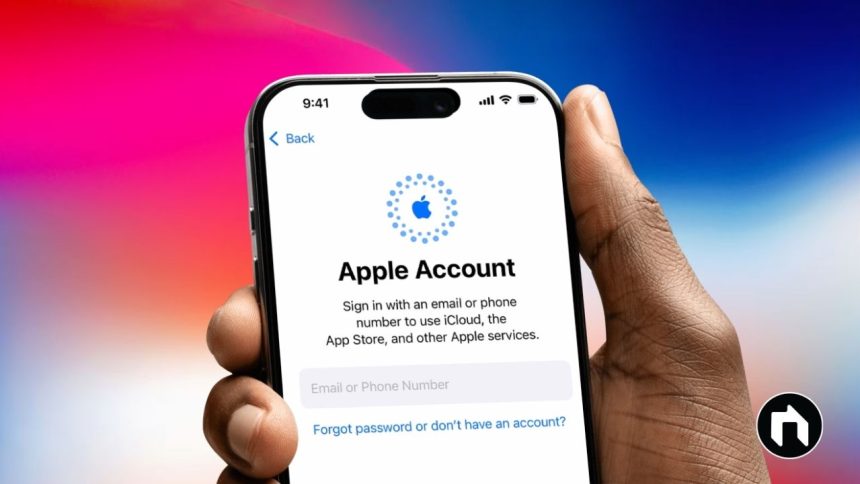
Sign In to Your Apple Account
Image Credit: TechHounder

Your Apple account (also called Apple ID) is the key to unlocking all of Apple’s services, like iCloud, Apple Music, Apple TV+, and syncing data across devices. Without signing in, you miss out on features like storing photos in iCloud, accessing subscriptions, or keeping your contacts and files updated across iPhone, Mac, and iPad.

Contents
Why Signing In Is ImportantWhat You Need Before Signing InHow to Sign In on iPhoneHow to Sign In on MacHow to Sign In on the WebWhat Happens After You Sign InApple’s Security Features

This guide shows you how to sign in on iPhone, Mac, and the web in simple steps.

- Advertisement -

Why Signing In Is Important

  • Sync photos, files, and contacts across devices with iCloud.
  • Manage subscriptions like Apple Music, Apple TV+, and iCloud+.
  • Ensure your data is consistent on iPhone, Mac, and the web.

What You Need Before Signing In

  • Apple ID: usually your email or phone number.
  • Password: if you forget it, reset it using “Forgot Apple ID or password.”
  • Two-factor authentication (2FA): a six-digit verification code sent to your trusted device or phone.
  • For iOS 17 and later: Passkey login with Face ID or Touch ID for a password-free option.

How to Sign In on iPhone

  1. Open the Settings app.
  2. Tap your name at the top, or select Sign in to your iPhone.
  3. Enter your Apple ID and password.
  4. Enter the six-digit verification code sent to your trusted device.
  5. Choose whether to merge your data with iCloud (recommended for syncing).

How to Sign In on Mac

  1. Click the Apple menu and open System Settings.
  2. At the top, select Sign In.
  3. Enter your Apple ID and password.
  4. Verify with the six-digit code sent to your trusted device.
  5. You may also be asked for your Mac login password for added security.
  6. Choose if you want to merge Mac data with iCloud.

How to Sign In on the Web

  1. Go to account.apple.com or icloud.com in your browser.
  2. Enter your Apple ID and password.
  3. Verify with the six-digit code sent to your trusted device.
  4. If supported and you’re on iOS 17 or later, you can sign in without a password using Face ID/Touch ID with passkey authentication.

What Happens After You Sign In

Once logged in, you can:

  • Use iCloud to store and access files, photos, and app data.
  • Manage subscriptions like Apple Music, TV+, and iCloud storage plans.
  • Update account settings such as password, email, or recovery options.
  • Sync data across devices for a seamless Apple experience.

Apple’s Security Features

  • Two-factor authentication (2FA): your password plus a verification code for strong protection.
  • Passkey login (iOS 17 and later): passwordless login using Face ID or Touch ID, which is safer and more convenient.

Your Apple account is central to everything in the Apple ecosystem. Knowing how to sign in on different devices ensures smooth syncing, easy subscription management, and strong security. Features like two-factor authentication and passkeys help keep your personal data safe while making login quick and simple.

TAGGED:AppleApple accountApple IDApple securityApple sign inApple subscriptionsApple web sign iniCloud loginiPhone Apple accountMac Apple accounttwo-factor authentication
Share This Article
Facebook Twitter Flipboard Whatsapp Whatsapp Threads Copy Link
Leave a comment Leave a comment

Leave a Reply Cancel reply

Your email address will not be published. Required fields are marked *

Must Read

News
Google Translate 6 New Android Widgets Rolled Out
Uncategorized
Apple AirPods Max 2 Launched: H2 Chip, ANC at $549
Uncategorized
Google Photos on Android Finally Rolls Out Sticker Creation Feature
News
Galaxy S26 Gets Satellite Messaging in US, EU, Japan Rollout
News
Hacker Uses Anthropic’s Claude AI to Steal 150GB of Mexican Government Data

You Might also Like

Supersized Camera Bar of the iPhone 17 Pro
Top News

The Supersized Camera Bar of the iPhone 17 Pro: Uncovering the Reason Behind the Design Change

iPhone Air 2 Launch Reportedly Delayed as Apple Faces Weak Demand
News

First iPhone Air C1X Modem Failure Reported – What Now?

iOS 26 New Features
News

New iOS 26.2 Public Beta Released: Here’s What’s New

iOS 26.3 Beta 2 Teases RCS End-to-End Encryption for iPhone Messaging
News

iOS 26.3 Beta 2 Teases RCS End-to-End Encryption for iPhone Messaging

TechHounder
Facebook X-twitter Youtube Instagram Threads

Our mission is to be your trusted guide, steering you towards the finest products and providing invaluable insights to ensure you make informed choices from the very beginning. With a commitment to excellence, we strive to empower you with the knowledge and confidence needed to make your Android experience extraordinary. Welcome to a world where precision, reliability, and innovation converge.

Join Our Community

Receive a regular dose of valuable content directly in your inbox.
[contact-form-7 id="c04da3a" title="Newslatter"]
  • Press Center
  • About Android Hub
  • Best ProductsNew
  • Contact Us
  • Website Map
  • Functions
  • Complaint
  • Privacy Policy
  • Interest Based Ads
  • Terms of Use
  • Your Privacy Rights
  • Online BestHot
  • Subscribe to Our Blog
  • Cookie Policy
  • News
  • Gaming
  • Deals
  • Phones
  • Android
  • Smart Things

© 2024 Tech Hounder Powered By Aurous Media Group.

Welcome Back!

Sign in to your account