








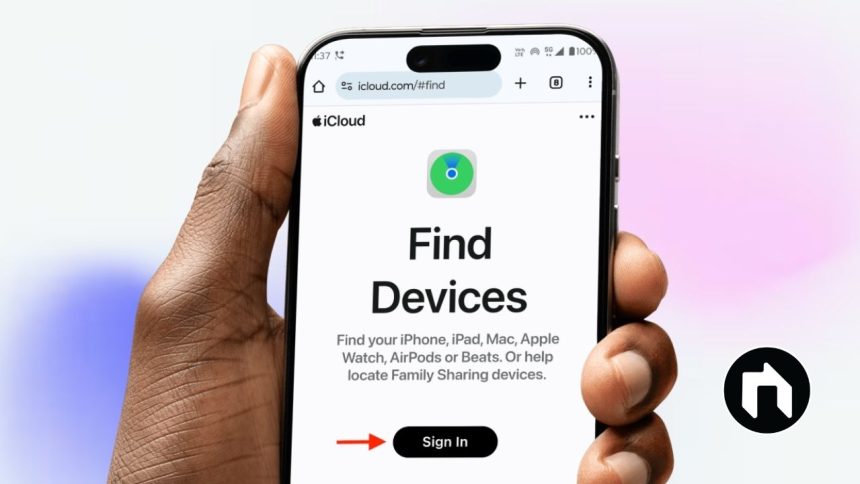
Find My iPhone is a powerful security tool developed by Apple to help users locate their lost or stolen iPhone and other Apple devices. It uses GPS, Wi-Fi, and cellular signals to pinpoint the exact location of your device on a map. This feature is part of the broader Find My network, which also helps track iPads, Macs, Apple Watch, AirPods, and even compatible third-party items like AirTags.
Contents
How to Set Up Find My iPhone
- Open Settings on your iPhone.
- Tap on your Apple ID profile (your name) at the top.
- Select Find My.
- Tap Find My iPhone and toggle it ON.
- Enable Find My network to locate your device even if it’s offline.
- Turn on Send Last Location so your iPhone shares its location before the battery dies.
- Make sure Location Services is enabled by going to Settings > Privacy & Security > Location Services > Turn On.
Features of Find My iPhone
- Precise Location Tracking: View your iPhone’s location on a map in real-time.
- Play Sound: If your iPhone is nearby but you can’t find it, play a loud sound to locate it.
- Lost Mode: Lock your iPhone remotely with a passcode and display a custom message with your contact info on the lock screen to help someone return it.
- Erase iPhone: As a last resort, wipe all your personal data remotely to protect your privacy.
- Notification on Location Change: Get alerts when the device’s location changes.
- Battery Indicator: Check the remaining battery life of your lost device.
- Turn-by-Turn Directions: Use Apple Maps to navigate to your iPhone’s location.
- Activation Lock: Prevents anyone else from using your phone after it’s lost or stolen without your Apple ID and password.
- Family Sharing: Share your device’s location with family members so they can help you find it.
How to Use Find My iPhone to Locate Your Device
- Using the Find My App: Open the Find My app on another Apple device signed in with your Apple ID and select your lost iPhone to see its location and available actions.
- Using iCloud Website: Visit icloud.com/find, sign in with your Apple ID, and locate your device on the map. From here, you can also play sound, enable lost mode, or erase your device.
Additional Tips
- Always keep Find My iPhone enabled before your device is lost.
- Make sure your device has a Wi-Fi or cellular connection to report its location.
- Update your device to the latest iOS version for improved accuracy and features.
- Use Family Sharing to allow trusted people to help locate your devices.
Devices Compatible with Find My iPhone
- iPhone (iOS 13 or later recommended)
- iPad and iPod Touch
- Mac computers
- Apple Watch
- AirPods and Beats headphones
- AirTags and other compatible accessories
Find My iPhone is a must-have tool in the Apple ecosystem for safeguarding your devices and data. It provides multiple ways to locate, secure, and protect your Apple products, giving you peace of mind in case your device ever goes missing.